Universal TV Remote for All TV
BoostVisionTools
4.46.47K Reviews
- Version
- 2.5.5
- Installs
- 10.00M
- Age Rating
- Everyone
Screenshots
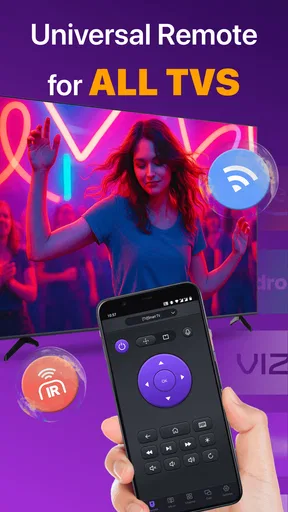
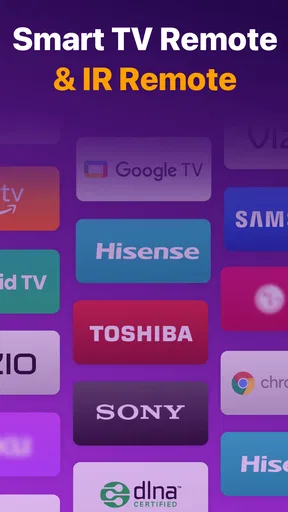
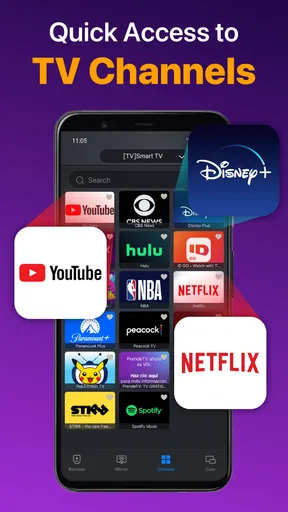
Our Review of Universal TV Remote for All TV
 Analysis by Appyee
I judge a remote app less by the novelty of tapping a phone screen and more by whether it still earns a place in my routine after the first few days. Universal TV Remote for All TV is a free tool from BoostVision that aims to make a phone useful when the regular TV remote is missing, inconvenient, or simply not nearby. Its appeal is easy to understand, but how well it fits depends on your TV setup and how often you reach for your phone while watching.
The first week: a handy backup with a learning curve
The first time I try a phone remote, I mostly want to know whether it can take care of ordinary jobs without turning a simple evening into a setup project. Connecting the phone and television is the key early step. For a Wi-Fi connection, keeping both on the same network is a practical place to start; if they are not able to see each other, checking that detail before troubleshooting anything else can save time.
Once connected, a phone can be easier to find than a small remote that has slipped under a cushion. It also gives you a screen for tapping controls instead of feeling around for buttons in the dark. Those benefits are most noticeable during the first week, when the convenience feels new. The more useful test comes later: does it become part of your habits, or do you keep picking up the physical remote?
The app is listed as a Tools app, and its broad purpose is straightforward: use a mobile device to manage everyday TV controls such as volume and channels. In practice, I would treat it as another way to control a television, not as a guarantee that every TV behaves identically. Compatibility and the available controls can depend on the particular TV and connection method, so it makes sense to test the controls you actually need before putting the old remote away.
Month-to-month value comes from the routine
The feature that would matter most over time is control of more than one TV from a single device. If you use televisions in separate rooms, switching between them can be more convenient than keeping track of several physical remotes. That advantage only lasts if the app makes it clear which TV is active. I would check the selected device before changing the volume or channel, especially in a home where two televisions are used around the same time.
A realistic use case is settling in to watch something and realizing the remote is in another room. If the phone is already in your hand and the TV connection is available, opening the app can spare a trip. It is a small convenience rather than a major change to home entertainment, but small conveniences are often what keep a utility app useful. It can also help when someone wants to adjust the volume without interrupting another person to ask where the remote is.
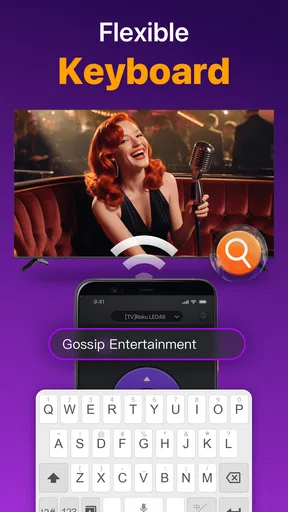
Typing is another area where a phone may have a practical advantage. A mobile keyboard can make entering a search or a password less awkward than selecting letters one by one with a TV remote. I would still keep expectations measured: this is useful when the connected setup supports the needed input, but it does not mean every TV screen or app will accept typing through the remote app.
The app has a 4.4 average from around 148,000 ratings and has been installed over 10 million times. That scale suggests it has found an audience, but popularity does not tell me whether it will work smoothly with a specific television. My own recommendation would still depend on a simple test at home: connect it, try the controls you use daily, and see whether the phone feels faster than reaching for the original remote.
Maintenance: what keeps it dependable
A remote app has little value when it cannot find the TV at the moment you need it. For a Wi-Fi-based connection, keeping the phone and TV on the same network is a useful habit to remember, particularly if your home has more than one network or you regularly switch between them. If control stops working after a network change, I would first confirm that both devices are connected where I expect rather than assuming the app itself has failed.
It is also worth keeping the physical remote somewhere accessible. That is not a knock against the app; it is a sensible backup for cases where the phone is charging, unavailable, or unable to connect. A phone remote works best as a convenient extra, not as the only way to operate a television. This matters most in shared homes, where another person may need to use the TV without borrowing your phone or opening the app.
If you control televisions in different rooms, give each connection a clear mental check before using it. The practical trade-off is that one phone can replace the need to keep several remotes close at hand, but it also asks you to pay attention to which TV you have selected. That extra moment is minor once it becomes habitual, yet it can be confusing if you expect a phone to behave exactly like a dedicated remote with a separate set of buttons for each room.
Where phone control can become tiring
The biggest everyday drawback is the phone itself. A physical remote is usually ready to use, while an app asks you to unlock the device, open the interface, and make sure the connection is available. If your phone is across the room or its battery is low, the supposed shortcut may be slower than picking up the regular remote. That is why I see this as most valuable when the phone is already in hand, rather than as a complete replacement for a dedicated controller.
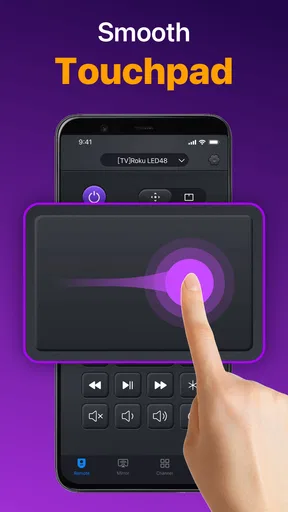
Touch controls can also feel less natural for someone who relies on raised buttons or operates the TV without looking. A flat screen does not offer the same tactile cues, so quick adjustments may take more attention. For casual channel changes or volume tweaks, that may be fine; for someone who wants to navigate by feel, the original remote is likely the better everyday choice.
Voice control can be appealing when it works with the connected TV and the intended command. I would not make it the main reason to install the app, though. Spoken control is less useful in a noisy room, when other people are talking, or when you prefer not to speak commands aloud. The dependable way to judge it is to try it in your own normal viewing environment and keep tapping as the fallback.
There can also be a difference between the promise of a universal remote and the controls available for a particular television. A broad label does not remove the need for device compatibility, network access, or testing. If your TV is older, has an unusual setup, or is not available to connect through the method you use, a standard physical remote or the TV maker’s own control option may be a more reliable fit.
Who is likely to keep it installed?
I can see this app being useful for someone who often misplaces a remote, likes controlling several TVs from one phone, or regularly uses the phone while watching. It may also suit a household where typing on the TV is a frequent chore and a mobile keyboard makes that task easier. The strongest case is not that a phone can imitate every remote perfectly, but that it can cover enough routine actions to save small amounts of effort.
I would be less likely to recommend it as the primary control for someone who dislikes using a phone around the TV, needs tactile buttons, or expects an app to work without any connection setup. It is also not the best answer if the main problem is that several people need independent, always-ready access. In those situations, keeping a physical remote in a known place—or using a TV-specific alternative that already suits the household—may prevent more friction.
The app is free to download, with in-app purchases priced from $2.99 to $26.99 per item. I would start with the free experience and decide whether it handles the controls I actually use before considering a purchase. The app is rated for Everyone, and its current version is 2.4.6; it requires Android 7.0 or later on Android devices. These details make it easy to assess basic availability, but they do not replace checking whether a particular TV can connect successfully.
My long-term verdict
After the novelty fades, the reason to keep a remote app is simple: it needs to save more effort than it adds. This one has a credible place as a backup and as a convenient option for people who already keep their phones close while watching. Its strongest long-term value comes from ordinary moments—adjusting volume, changing channels, managing a second television, or entering text—rather than from the idea of replacing every physical remote in the house.
I would install it, test it with the TV I use most, and keep it only if the connection and controls become part of my normal routine. I would not discard the original remote after a successful first try, because a phone depends on being available and connected. BoostVision’s app is worth considering if you want a flexible phone-based option and are comfortable with that trade-off; if tactile controls and instant access matter more, a physical remote remains the less fussy choice.
Have you ever found yourself frantically searching for the TV remote, only to discover it was wedged between the couch cushions the whole time? Well, let me tell you, those days are over. I recently discovered the Universal TV Remote for All TV app, and it's been a total game-changer in my living room.
Getting Started with Universal TV Remote
First things first, let's talk about the setup. Installing the app is a breeze. Just head over to the app store on your Android or iOS device, hit download, and you're good to go. The app's interface is super intuitive, with a clean design that makes navigation a walk in the park.
Once you've got it up and running, the app prompts you to connect to your TV. It supports a wide range of TV brands, so whether you're rocking a Samsung, LG, Sony, or pretty much any other brand, you're covered. Just make sure your phone and TV are on the same Wi-Fi network, and let the app work its magic. I found the connection process straightforward and hassle-free.
Features That Stand Out
Now, let's dive into what makes this app a must-have. One of my favorite features is the ability to control multiple TVs from a single device. If you're like me, with different TVs in different rooms, this is a lifesaver. You can easily switch between devices without any hiccups.
Another cool feature is the voice command functionality. Forget about fiddling with buttons; just tell your app what you want to watch, and voila! It's like having your own personal assistant. Plus, the app supports a variety of languages, making it super versatile.
Oh, and did I mention the app has a built-in keyboard? Typing in search queries and passwords is a breeze, unlike the tedious process of using a traditional remote. It’s these little touches that make the app stand out.
Seamless User Experience
One thing I appreciate about this app is how smooth it is in operation. There’s no noticeable lag when switching channels or adjusting the volume, and the response time is impressive. It feels just like using a physical remote, if not better.
Even the app’s design deserves a shoutout. It’s sleek and modern, yet simple enough that anyone can use it without a steep learning curve. The icons are clear, and the layout is logical, which is a big win in my book.
Why You Should Try It
If you’re still on the fence, let me break it down. This app is a lifesaver for anyone tired of losing remotes or just wanting to simplify their home entertainment setup. It’s free to download, easy to use, and offers a plethora of features that make watching TV more enjoyable.
"No more hunting for lost remotes—this app is all you need to take control of your TV."
In a nutshell, the app is a fantastic tool for modern living. It’s convenient, reliable, and has genuinely improved my TV-watching experience. So go ahead, give it a try, and say goodbye to the days of remote hunting forever!
Verdict
Strengths of Universal TV Remote for All TV
- Supports multiple TV brands easily.
- User-friendly interface with quick setup.
- Customizable remote layout options.
- Works without an internet connection.
- Voice command feature for convenience.
Limitations of Universal TV Remote for All TV
- May not support older TV models.
- Occasional lag in response time.
- Ads can be intrusive for some users.
- Limited features on free version.
- Requires location permissions to function.
Other Releases by BoostVision
View All
Remote for Fire TV & FireStick
Entertainment4.0

TV Remote control for All TV
Tools4.2

Remote for Smart Samsung TV
House & Home4.2

AirMirror: TV Cast & Mirror
Video Players & Editors4.3
Similar Picks in This Category
View All
Google LLC4.0

Gboard - the Google Keyboard
Google LLC4.5

Google Play services
Google LLC4.3

Google Play Store
Google LLC4.9

Files by Google
Google LLC4.5

SHAREit: Transfer, Share Files
Smart Media4U Technology Pte.Ltd.4.3
Frequently Asked Questions
How does the Universal TV Remote for All TV app work with different TV brands?
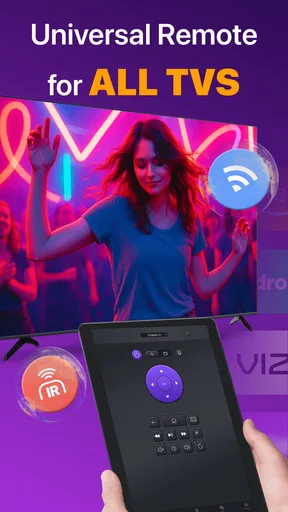
The Universal TV Remote for All TV app is designed to work with a wide range of TV brands by using your smartphone’s IR blaster or through Wi-Fi. The app features a comprehensive list of brands and models, allowing users to select their specific TV to ensure compatibility and seamless operation.
Is the Universal TV Remote for All TV app compatible with older TV models?
Yes, the app supports a variety of older TV models, provided that they are equipped with an IR receiver. For TVs without IR, the app offers a Wi-Fi connection option if the TV is smart and connected to the same network as the smartphone. Compatibility details can be found in the app’s description.
What permissions are required for the Universal TV Remote for All TV app to function properly?
The app requires access to certain smartphone features to function correctly, such as the IR blaster and Wi-Fi connectivity. It may also request permissions to access network settings and the device’s location to enhance connection stability and accuracy during setup and operation.
Can the Universal TV Remote for All TV app control other devices besides televisions?
Yes, this app is versatile and can often control other home entertainment devices like DVD players, set-top boxes, and streaming devices, as long as they have IR or Wi-Fi capabilities. Users can add these devices through the app’s setup menu by selecting the appropriate category and brand.
Are there any in-app purchases or subscriptions required for the Universal TV Remote for All TV app?
While the app offers a free version with basic functionalities, some advanced features may require in-app purchases or subscriptions. These features might include ad removal, premium device support, or additional customization options. Details about these purchases are available within the app.
